01 / 15ToolsParametric Design / Earthworks / Geotechnical / Computational Design2026
Parametric Earthworks Modelling
Earthworks volumes that recalculate the moment the geometry moves, benchmarked against Civil 3D, InfraWorks, OpenRoads and 12d Model. It is the only one of them that reads borehole logs and puts a number on how much rock sits above formation level before the price goes in.
RhinoGrasshopperExcel
Computational designComplete
- Organisation
- Role
- Year
- Kind
- Sector
- Status
- WK
- DAY
- HR
- MIN
- SEC
2 to 8 hours to Under 30 minutes
Background
Tender-stage and temporary works planning need volumes fast and need them to change fast. Detailed design platforms give accurate answers through rebuild and recompute cycles that are too slow to optioneer against.
What I built
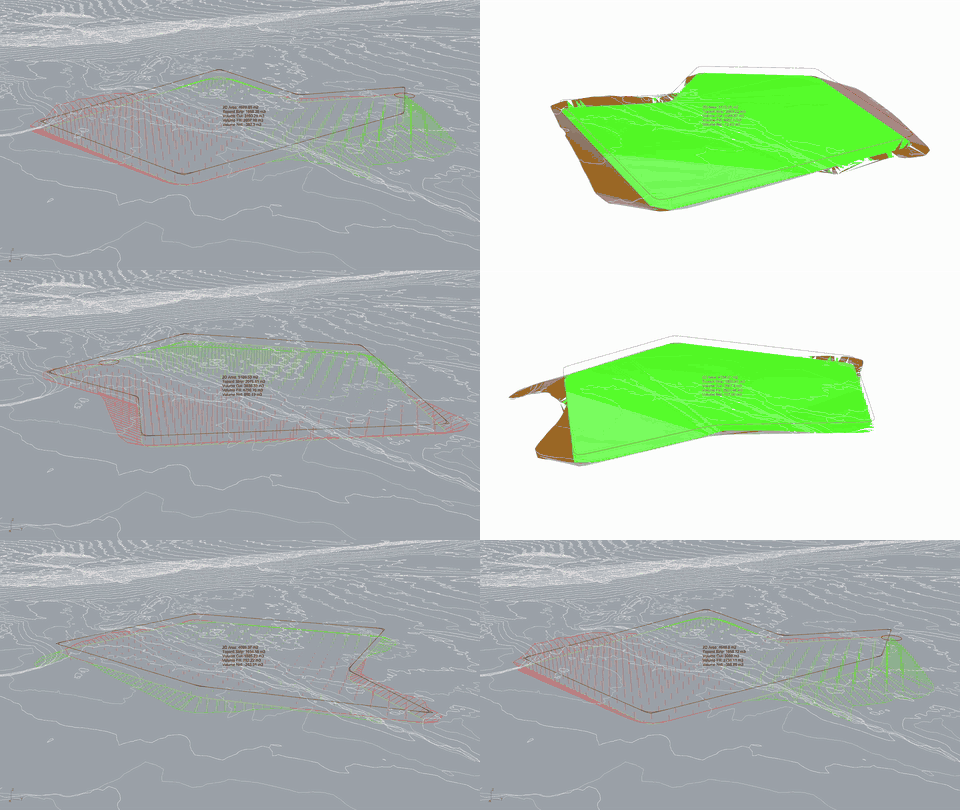
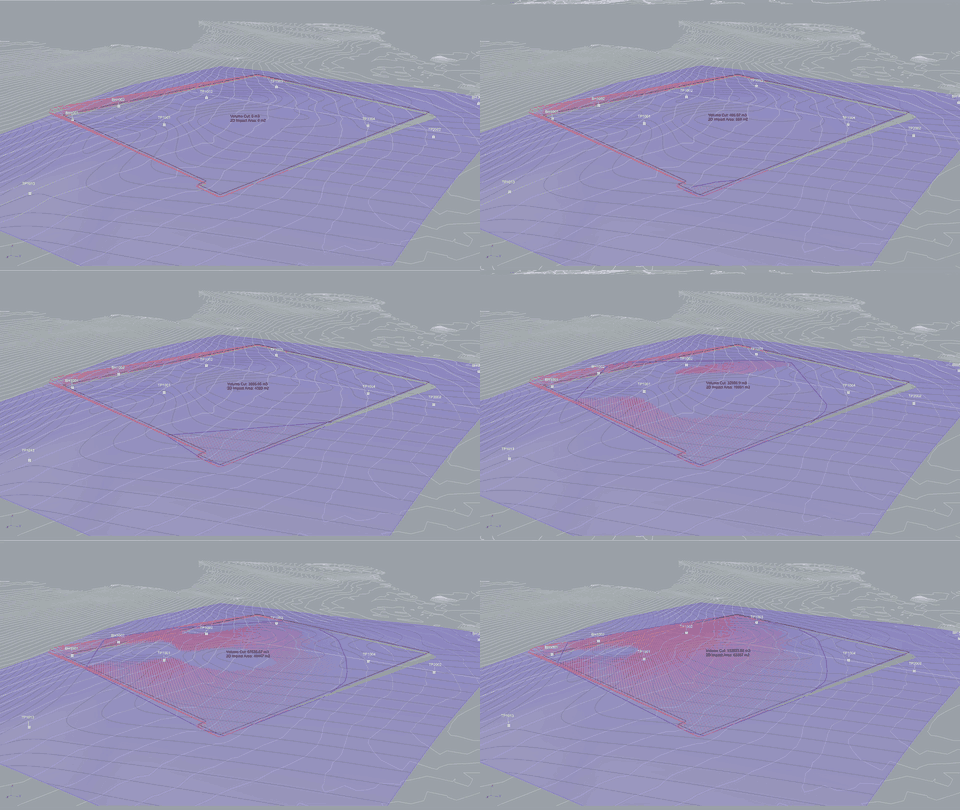
A Grasshopper definition supporting three modes: formation earthworks by platform or alignment, stockpile creation, and ground investigation surface comparison. Outputs bake to named Rhino layers for downstream use.
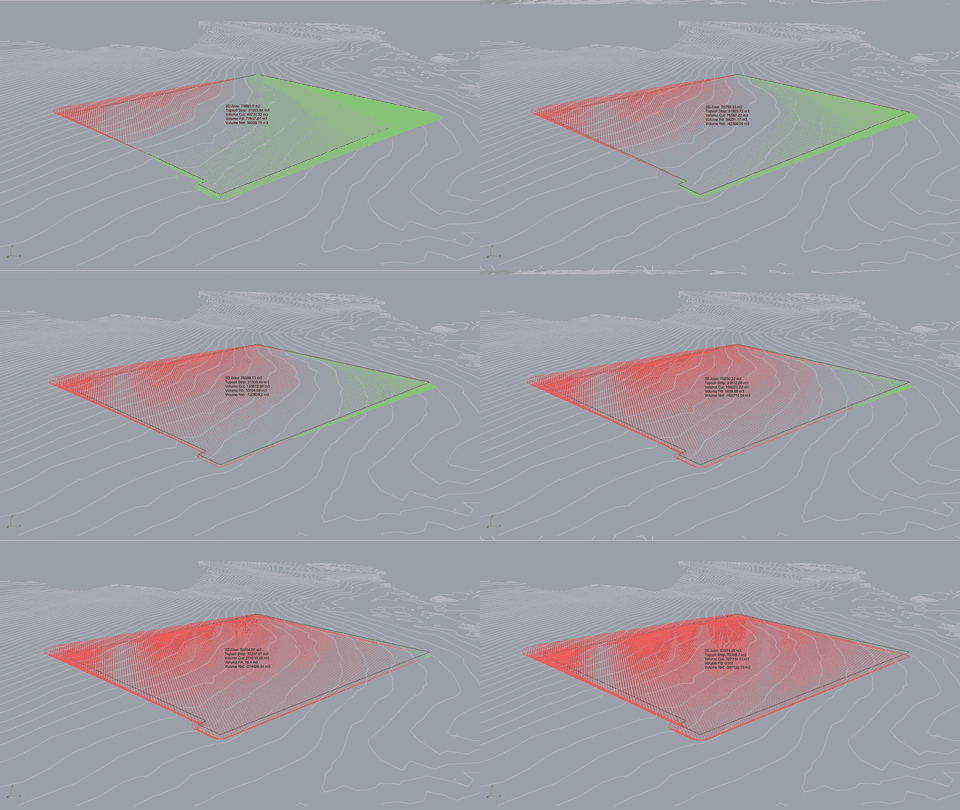
Volumes are computed by raster-style grid sampling of height differences between existing ground and formation surfaces, with grid density user-controlled to trade accuracy against compute time. A calculation toggle lets geometry be manipulated freely before recalculating.
How it works
Two problems solved on live schemes shaped the tool:
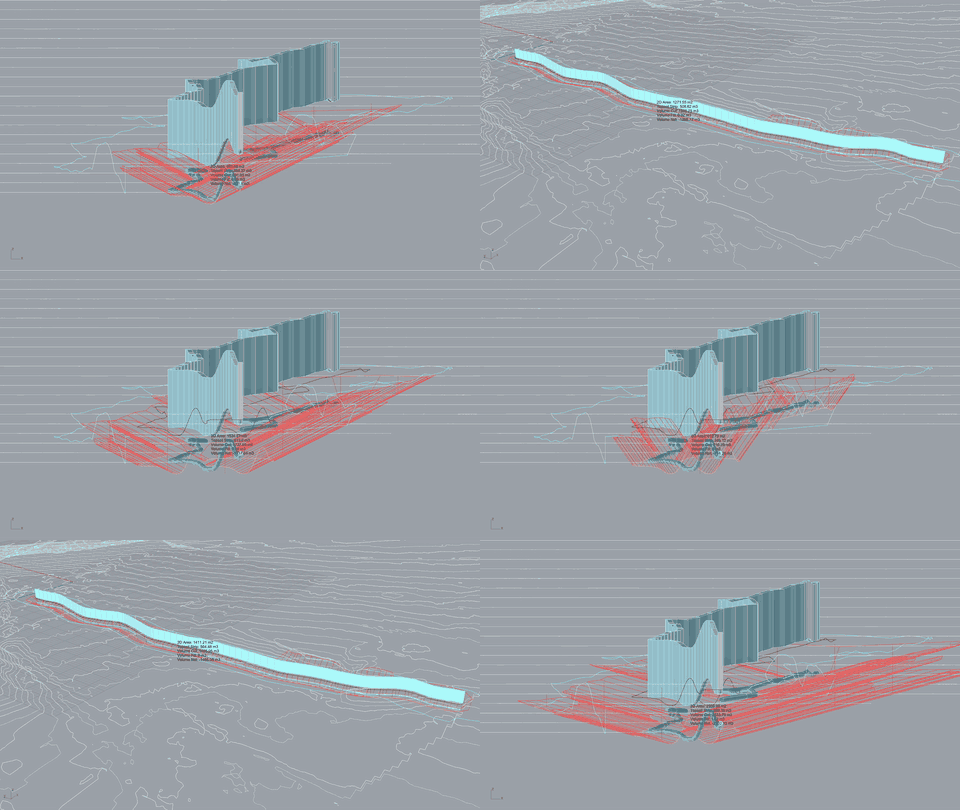
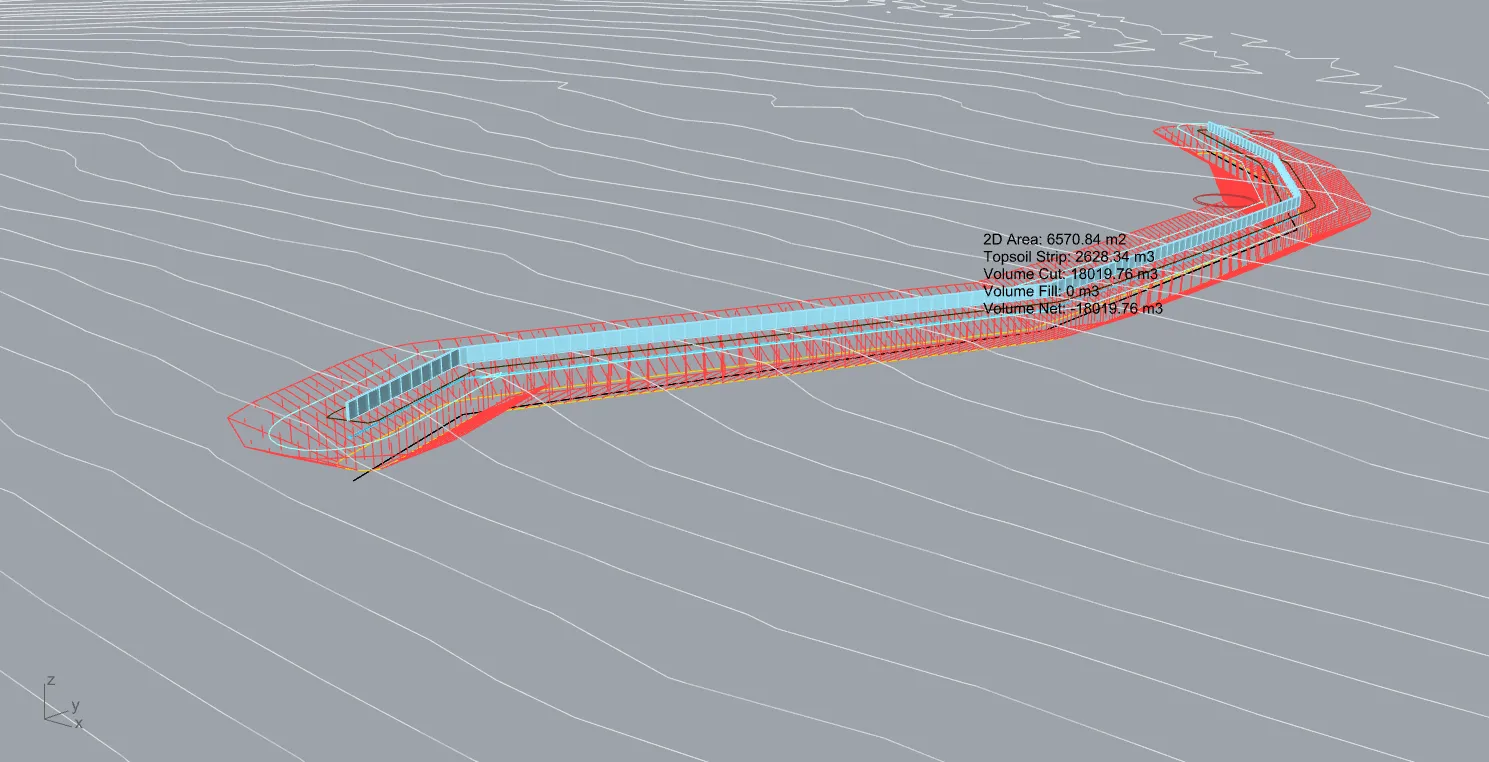
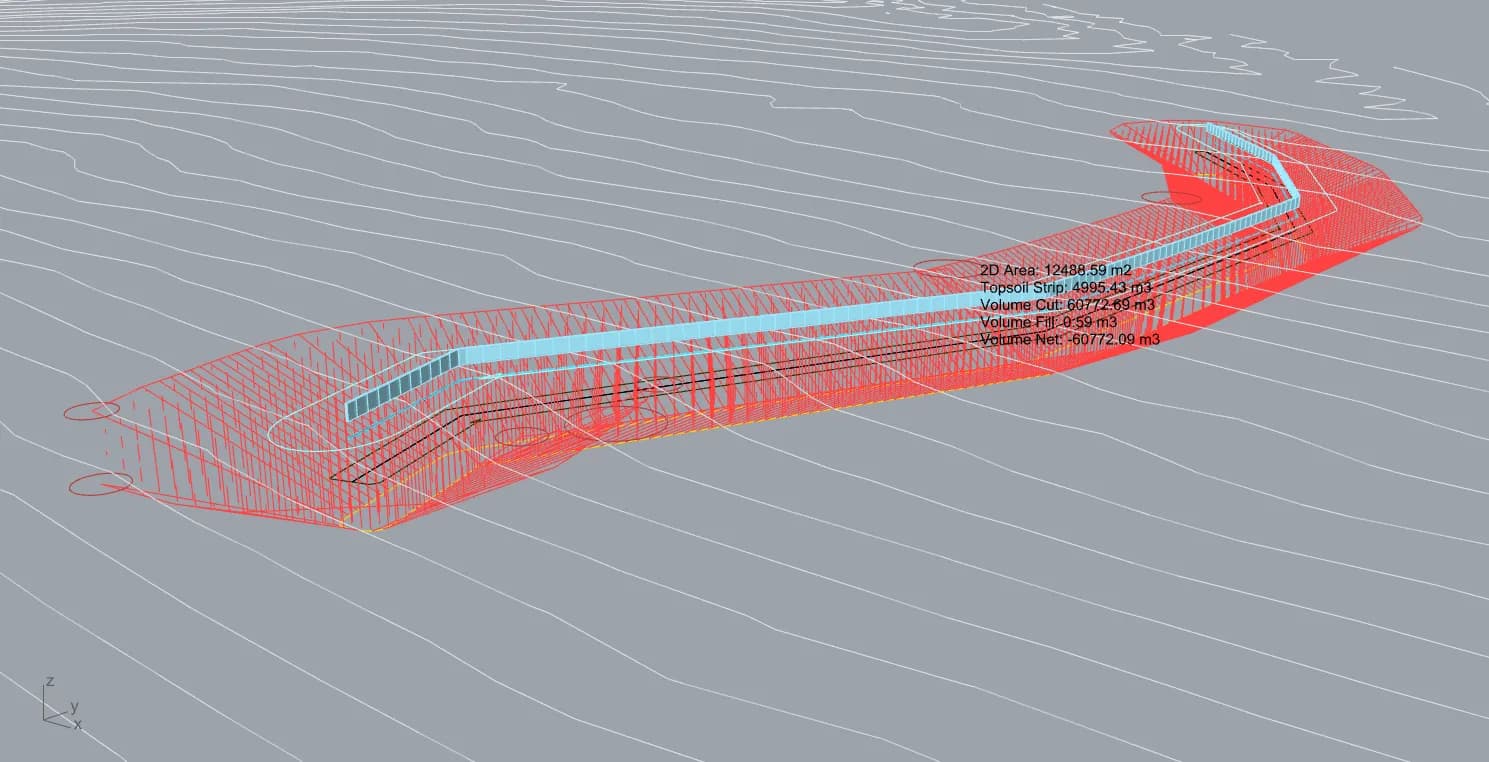
- On a utility temporary works scheme, pipe depths were known only relative to existing ground rather than as absolute levels. The tool generates pipe geometry offset directly from the surface or the alignment.
- On a tender project, a mesh-boundary-extraction technique was developed to derive missing boundary curves from TIN meshes, and rock-head removal volumes were quantified by importing GI borehole data from Excel and intersecting an interpolated geological surface with the formation level.
Rock head interpretation
The second of those is the part worth drawing out, because it is the one function none of the platforms this was benchmarked against will do for you.
Ground investigation arrives as a borehole log: a scatter of XY positions, each with a depth to the top of a named geological layer. That is a table, and on its own it answers nothing about cost. What a tender team needs to know is whether the formation level being priced cuts into rock, over how much of the platform, and by what volume, because excavating rock is a different rate and a different programme from excavating soil.
The tool closes that gap. The Excel log is imported, depths are converted to levels and interpolated into a continuous geological surface, and that surface is intersected with the formation level. Where rock head sits above formation, the overlap is isolated and reported as two figures: the plan area affected, and the additional cut volume above the layer. Boreholes beyond a set distance from the design area can be filtered out so distant logs do not drag the interpolation, and where coverage does not reach the full extent the surface is extended by a stated offset rather than silently guessing.
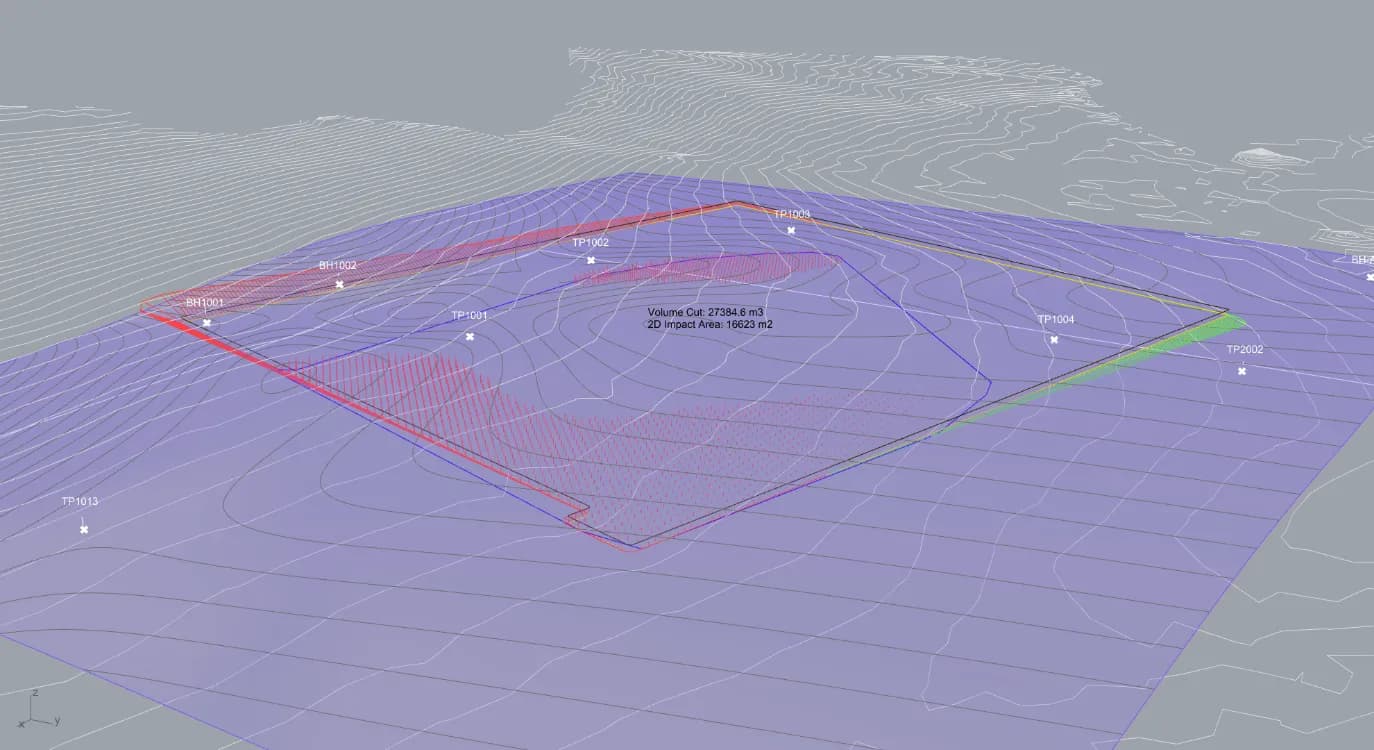
The output is an interpretation, not a measurement, and the geometry says so. The interpolated surface is drawn in the viewport with its own contours, the boreholes it was built from stay visible as labelled points, and the intersection boundary bakes out as a curve. A reader can see how far the nearest log sits from the zone being quantified and judge the number accordingly. That is the second use of the same run: where the surface is being extrapolated a long way from any borehole, the picture is an argument for commissioning more investigation rather than a figure to price against.
One geological layer is processed per run, so a site with rock head and a separate made ground horizon is two runs.
Outcome
Benchmarked directly against Civil 3D, InfraWorks, OpenRoads Designer and 12d Model. Main advantages are near-instant recalculation rather than rebuild cycles, acceptance of any closed curve type including splines, a dedicated topsoil strip output, and native GI surface comparison, none of which the compared platforms offer directly. It does not replace those tools for detailed design.
Against the free Grasshopper terrain plugins Docofossor and Bison, the difference is that those deform terrain meshes directly rather than projecting earthworks extents, and lack civil-specific outputs such as topsoil strip and GI comparison.
The commercial case is the rock. Rock above formation level is the item most likely to move an earthworks price, and putting a number on it while the tender is being priced, rather than finding it once the machines are on site, is where the tool earns its place.
Where it goes next
Known limitations are resolution-dependent volume accuracy and an offset-based rather than fully geometric alignment workflow.
Technical reference
Everything above is the short version. What follows is the working documentation: inputs, the full parameter set, what the tool bakes out, how the volumes are actually calculated, and how it measures against the platforms it sits alongside.
Inputs
Two inputs are required. The existing ground surface is accepted as a mesh, a BRep, or raster DEM or DTM data. Raster is referenced externally rather than converted to Rhino geometry, with a resolution slider on import controlling terrain mesh density. Mesh and BRep surfaces can be built inside Rhino from contour lines or point data.
The second is the design geometry, and the tool toggles between two modes for it. A closed curve is treated as a platform boundary, and any closed curve type is accepted including polylines, splines and bezier curves. An alignment or 3D polyline is treated as a road, trench or utility corridor.
Two inputs are optional: a 2D closed curve setting the maximum extent of a stockpile, and an Excel file of borehole XY coordinates with depth to a named geological layer.
Output layers
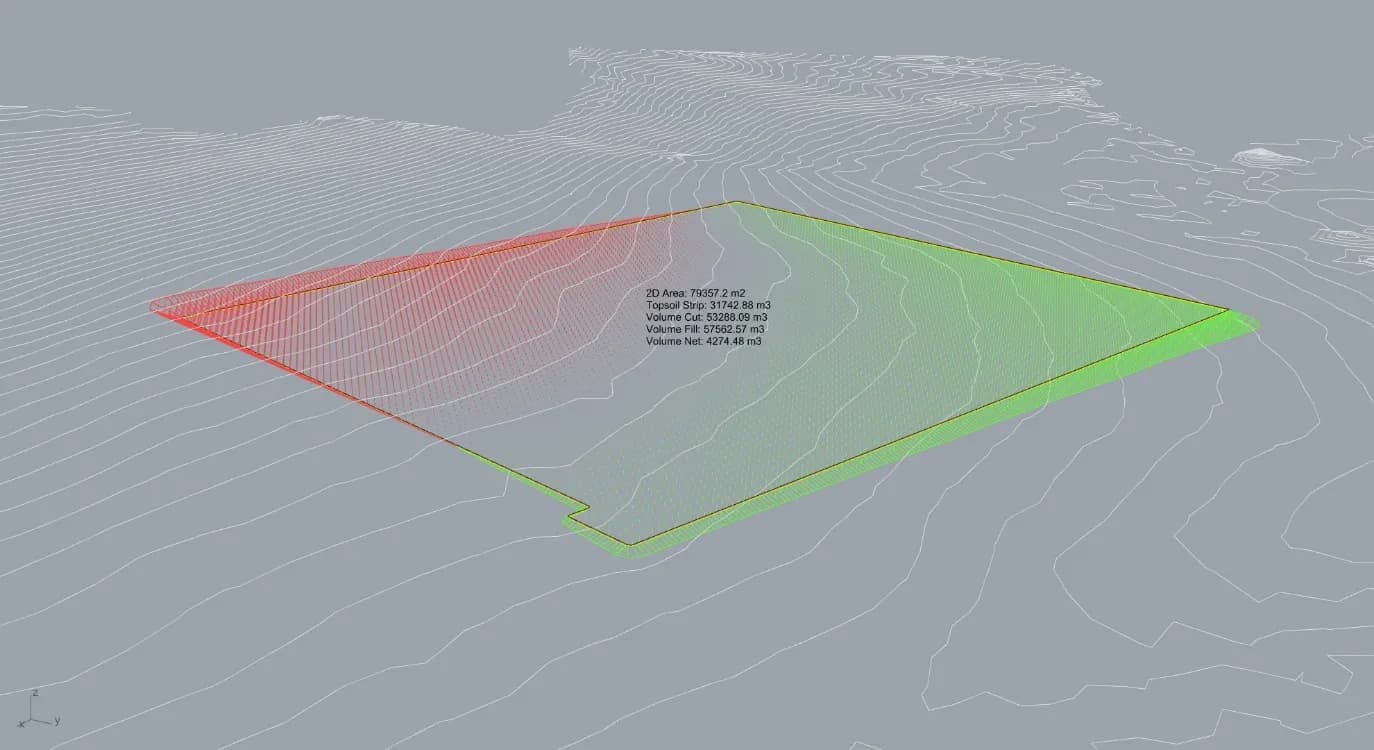
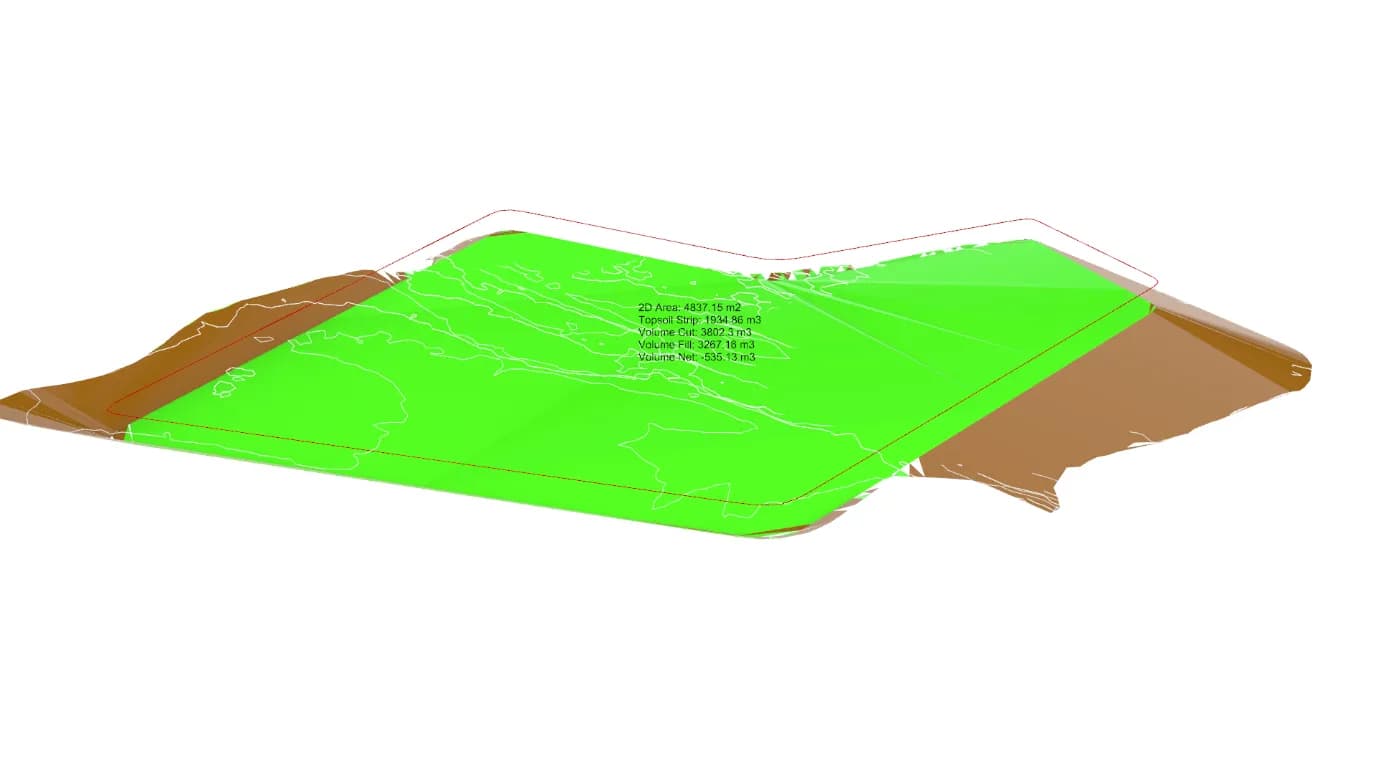
All geometry bakes to named Rhino layers at a button click, with line and mesh geometry baked separately. Along the earthworks perimeter, cut projects as red lines and fill as green, running from the gold projection curve to the existing ground surface. Inside it, the volume calculation grid is visible as vertical lines off the formation surface, red downward in cut and green upward in fill.
What bakes out is a set of curves, meshes and flags, each on its own layer and colour coded by what it is. The curves are the formation level line, the projected earthworks extent on existing ground, the extent line at the specified grade, the original input, and an easement boundary draped on existing ground at a set offset. Two of them matter more than the rest: the formation line and the projected extent are closed 3D polylines, and they work directly as Civil 3D breaklines to rebuild the same surface in a detailed design platform, which is what stops the tool being a dead end.
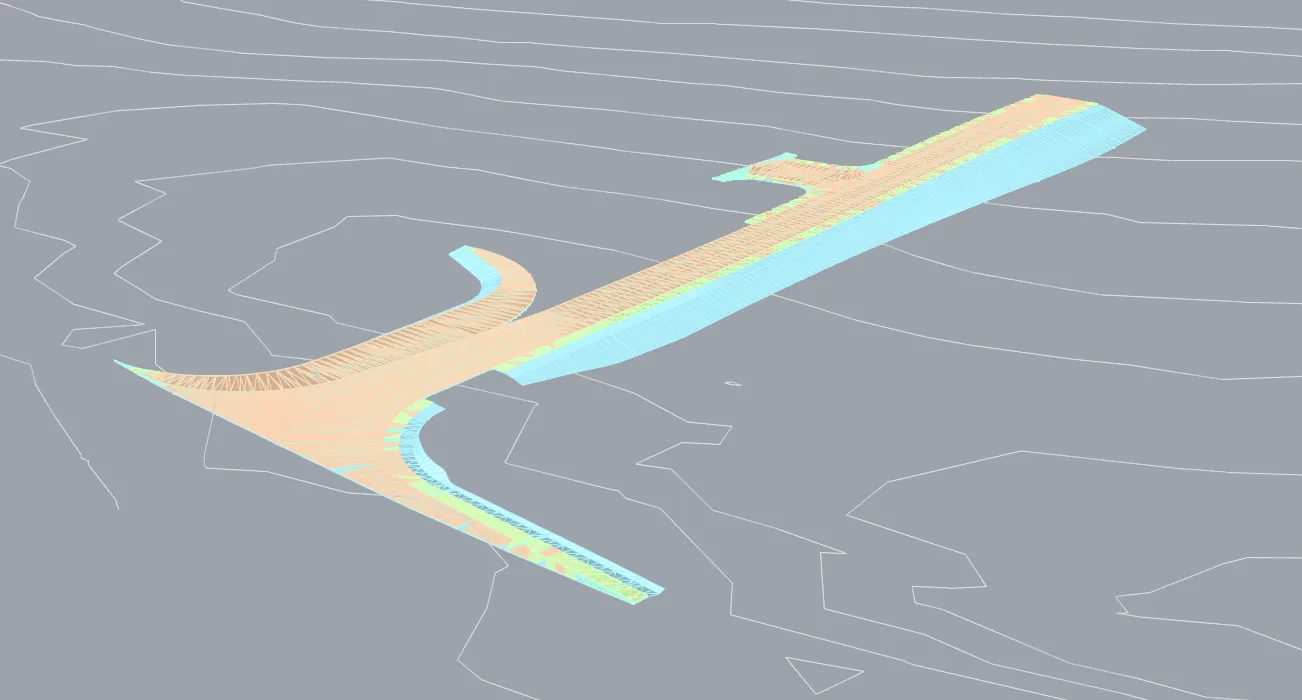
Stockpiles bake as three curves, the 2D input boundary, that boundary draped on existing ground and the top of stockpile at the specified height and grade. Pipes bake as 3D mesh or BRep at the specified diameter, following the surface at an offset when the alignment is draped and offset from the alignment directly when it is not, alongside a run of rectangular blocks above ground on the same line. That last one exists because a buried route disappears in 3D viewers that hide it behind the terrain, and a route nobody can see does not get coordinated.
Meshes bake in two parts, formation surface separately from batter slopes, so each carries its own material for rendering or for 4D sequencing. Contours bake as 3D polylines at the interval asked for. A final layer flags points where the projected earthworks curve has problems worth fixing before the geometry goes into other software, which is the difference between finding a bad projection here and finding it three steps downstream.
Live statistics
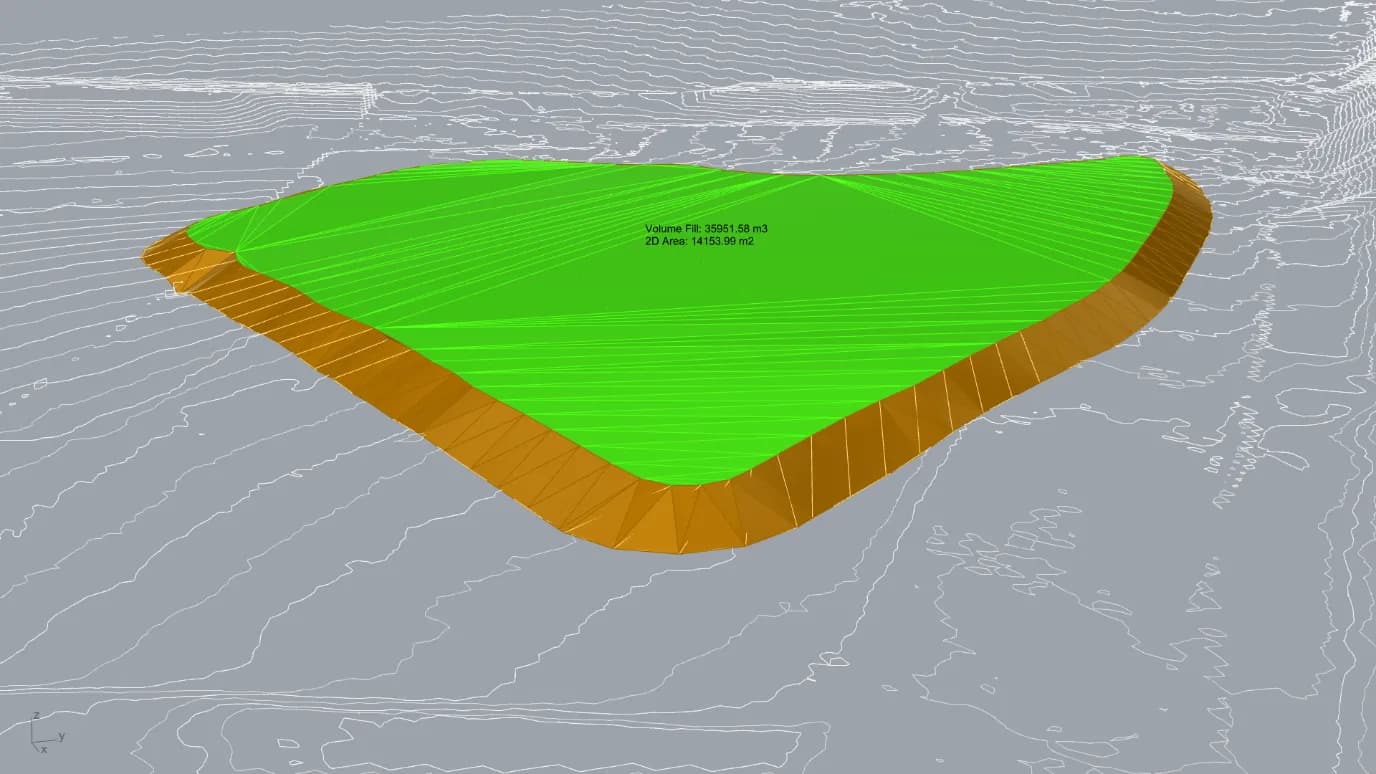
Volume figures are calculated per active workflow and drawn in the Rhino viewport, centred on the geometry and facing the camera, updating as parameters change. Formation earthworks reports 2D area, topsoil strip volume, total cut, total fill, net volume, and the highest and lowest points of formation level. Stockpile reports 2D area and total fill. Ground investigation comparison reports impact area, being the plan area where the geological surface intersects formation level, and the additional cut volume above it.
Parameters
Everything below stays live. That is the whole argument for building this parametrically rather than modelling it: a tender team can move any one of these and have the volumes back before the conversation moves on. They group into four sets, and what is worth noticing is which ones carry engineering judgement rather than preference.
| Parameter | Unit | Effect |
|---|---|---|
| Cut slope grade | 1:x | Horizontal to vertical ratio for cut slopes. |
| Fill slope grade | 1:x | Horizontal to vertical ratio for fill slopes. |
| Formation cut depth | m | Depth of cut applied to formation level. |
| Topsoil strip thickness | m | Thickness stripped before earthworks, reported as its own volume rather than folded into the bulk figure, because it is a separate rate and often a separate contractor. |
| Level formation to low point | Toggle | Drops formation to the lowest point of the input geometry. The fastest way to test a level platform against a sloping site. |
| Contour interval | m | Spacing of the contours generated across the result. |
| Parameter | Unit | Effect |
|---|---|---|
| Volume calculation suspend | Toggle | Holds the volume calculation while geometry is manipulated, then updates on release. Without it, dragging a boundary across a large site recalculates on every mouse move. |
| Volume grid density | Density | Density of the sampling grid. Higher is more accurate and slower. Exposed rather than fixed, so the accuracy of the answer is visible to the person quoting it. |
| Stockpile calculation suspend | Toggle | Suspends the stockpile calculation independently, so stockpile geometry can be reworked without recomputing the main earthworks. |
| Parameter | Unit | Effect |
|---|---|---|
| Boundary smoothing strength | Strength | Rounds sharp corners and reduces errors where the input curve is complex. The parameter a new user gets wrong first, because over-smoothing a boundary changes the area being priced. |
| Projection line spacing | m | Adds projection lines to sharpen the earthworks extent curve where it is being derived across variable ground. |
| Projection join tolerance | m | Closes small gaps in the projected curve by closest-point matching, rather than leaving an open curve that fails downstream. |
| Raster import resolution | Slider | Resolution of a raster surface on import, equivalent to heightmap pixel size. Lower is finer. |
| Parameter | Unit | Effect |
|---|---|---|
| Corridor width | m | Width used to generate the offset boundary from an alignment, for a road or a trench. |
| Alignment smoothing | 0 to 1 | Smooths the alignment and everything downstream of it, for rough input ground. |
| Drape alignment to ground | Toggle | Projects a 2D alignment onto existing ground where it carries no Z value. |
| Depth to top of pipe | m | Offset to top of pipe, taken from the ground surface when the alignment is draped and from the alignment itself when it is not. |
| Pipe diameter | m | Pipe diameter, and the width of the above-ground marker representation. |
| Surface marker height | m | Height of the above-ground blocks that follow the pipe run, so a buried route stays visible in 3D. |
| Easement offset | m | Offset from formation level or input curve to the easement boundary. |
| Stockpile height | m | Height of the stockpile above existing ground. |
| Stockpile batter grade | 1:x | Grade of the stockpile side slopes. |
| Stockpile inward offset | m | Inward offset from the 2D boundary to the effective extent. |
| Borehole distance filter | Toggle + m | Filters out boreholes beyond a set distance from the design area, so distant logs do not drag the interpolation. |
| Geological surface extension | m | Extends the interpolated geological surface by a stated amount where borehole coverage falls short of the design extent, rather than silently guessing. |
The two ground investigation parameters are the ones that decide whether the rock figure can be defended. Both are deliberately explicit: a filter distance that says which logs were trusted, and an extension distance that says how far the surface was carried beyond them. A tool that interpolated silently across the whole extent would produce the same number with none of the basis attached to it.
How the volumes are calculated
A raster-style method. A grid of rectangular cells is projected across the earthworks extent, covering both the existing ground surface and the formation surface. For each cell the height difference between the two is multiplied by the cell plan area to give a volume increment, and the increments are summed into total cut and fill. Net volume is the difference between them.
Grid density is set by the calculation resolution parameter, and the grid itself is drawn in the viewport as the pattern of vertical lines off the formation surface. The accuracy setting is therefore visible rather than buried in a dialog, which matters because the accuracy is resolution-dependent: coarse settings will misstate volumes where the topography varies sharply.
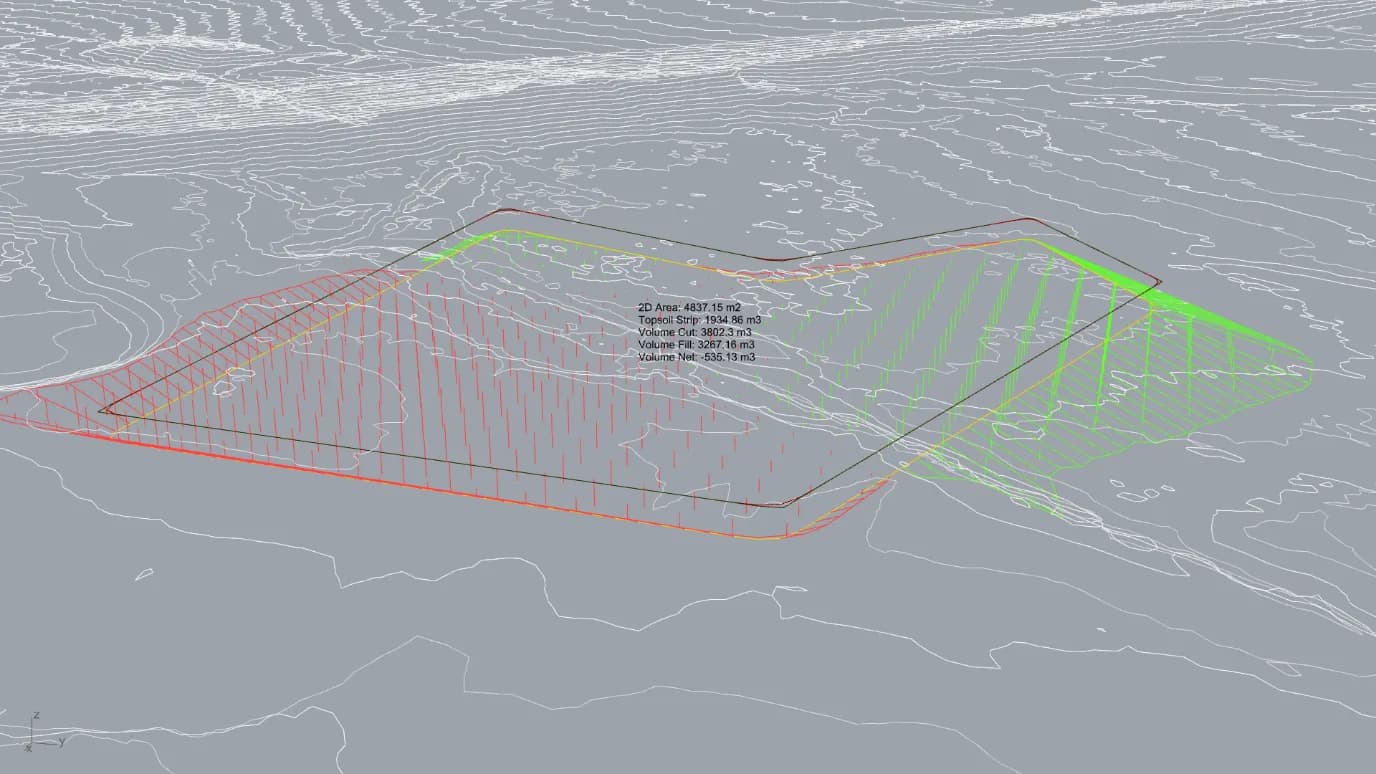
The two output curves have been used as Civil 3D breaklines to rebuild the same earthworks surface, and volumes derived that way have been checked against the tool's own figures on test cases with equivalent results.
Mesh boundary extraction
Where design geometry arrives as a complete TIN with no boundary curves, a prerequisite step recovers them. The TIN is exploded to individual triangles, face normal angles are analysed to filter out the batter triangles, leaving the near-horizontal top surface, and further filtering by triangle size and edge length removes artefacts. The remaining boundary is extracted as a closed curve and used as the earthworks input.
Against the civil CAD platforms
| This tool | InfraWorks | Civil 3D | OpenRoads | 12d Model | |
|---|---|---|---|---|---|
| Volume calculation | Parametric, real time | Terrain grading | Grading objects | Earthworks tools | Purpose-built |
| Feedback speed | Instant, with a calculation toggle | Full map refresh | Rebuild or recompute | Rebuild or recompute | Rebuild or recompute |
| Input curve types | Any closed curve, splines and beziers included | Sketched or imported grading polygons | Polylines and alignments | Polylines and alignments | Polylines and alignments |
| Topsoil strip | Dedicated volume output | No | Manual setup | Manual setup | Manual setup |
| Stockpile modelling | Parametric, with mesh bake | Limited | Manual | Manual | Limited |
| GI surface comparison | Excel borehole import | No | Manual surface comparison | Manual surface comparison | Manual surface comparison |
| Raster surface input | External reference, no conversion | Native terrain | Import required | Import required | Import required |
| Time per scenario | Under 30 minutes | 30 minutes to several hours | 2 to 8 hours | 2 to 8 hours | 1 to 4 hours |
InfraWorks is the closest of the four, since both offer interactive grading with visual feedback. The differences that matter in practice are update speed, input flexibility and calculation control. InfraWorks restricts grading boundaries to polylines, so a smooth boundary means adding and adjusting vertices by hand. It requires a separately drawn calculation area, and where that area overlaps other grading objects or roads their volumes are pulled into the result, whereas this calculates for the exact input geometry. Its calculation triggers automatically after each edit and cannot be deferred. It has no dedicated topsoil strip output and no equivalent ground investigation workflow.
Set against that, InfraWorks has a far more complete road design environment, including superelevation and crossfall. The alignment workflow here is a simple offset and is not a substitute for detailed road geometric design. None of this replaces Civil 3D or OpenRoads for detailed design either, and it is not meant to.
Against the Grasshopper terrain plugins
The two plugins with real functional overlap are Docofossor and Bison, both free and both written for landscape architecture rather than civil engineering. A third, RhinoCivil Engineering, targeted civil earthworks directly but appears no longer to be maintained.
| This tool | Docofossor | Bison | |
|---|---|---|---|
| Primary audience | Civil and infrastructure engineering | Landscape architecture and research | Landscape architecture |
| Approach | Projects extent curves onto an unmodified surface | Deforms terrain using signed distance functions | Edits the terrain mesh with curve and point operations |
| Surface input | Mesh, BRep or raster | XYZ point cloud, regular grid spacing only | Mesh |
| Topsoil strip | Yes | No | No |
| GI surface comparison | Yes | No | No |
| Stockpile creation | Parametric, with mesh bake | Relative fill operations only | Limited |
| Pipe modelling | Yes | No | No |
| Live viewport statistics | Yes | No | No |
| Terrain analysis | Limited | Slope, aspect, drainage, visibility | Slope, aspect, watershed, flow |
| Last updated | Maintained | 2019 | 2022 |
The difference is one of approach rather than quality. Both plugins physically deform the terrain, where this leaves the surface unmodified and derives volumes from the geometric relationship between it and the formation surface. Neither has civil-specific outputs. Docofossor needs XYZ point clouds at regular grid spacing, so raster data has to be pre-processed first. Bison is stronger on terrain analysis than this tool is, and its raster import is used inside this tool's own raster workflow, so for that function the two are complementary rather than competing.
Where it applies
Volume verification against contractor or designer figures from the same input geometry. Early-stage optioneering across platform locations, formation depths and cut-to-fill balances in one session. Tender and bid work needing indicative volumes without standing up a full civil CAD model. Temporary works planning, including clash assessment where only depth-below-ground data exists. Ground investigation risk, quantifying geological exposure at formation level or showing where further investigation is worth commissioning. Stockpile and materials management for site logistics and material balance. Two-part mesh output into 4D sequencing with different materials per construction phase, or textured for client presentations, planning applications and design reviews. As-built survey compared against design formation to find discrepancies in cut depth or batter grade. Cut, fill and topsoil volumes feeding carbon and cost calculations directly.
Limitations
Complex or highly irregular input geometry can produce problems in the projected earthworks curve, which is why the errors layer exists. Volume accuracy is resolution-dependent, and coarse settings will misstate volumes across sharply varying topography. Ground investigation comparison handles one geological layer per run, so multiple layers mean multiple runs. Very large surfaces or high resolution settings affect real-time performance, which the calculation toggle and resolution parameter exist to manage. The alignment workflow is offset-based and not a substitute for detailed road geometric design.
It is also not a product. The tool is run by the digital engineering team on behalf of project teams rather than distributed for individual use.
Tools and disciplines
- Built with
RhinoGrasshopperExcel
- Discipline
Parametric DesignEarthworks / GeotechnicalComputational Design