02 / 15ToolsGIS / Data Automation / Asset Management2025
CAD to GIS Workflow
The workflow that took asset delivery on a major London infrastructure scheme from several weeks to the same day. CAD drawings in; schema-compliant GIS files, a live web map and attribute-driven 3D asset models out. Runner Up in the VINCI Group Innovation Awards.
FMEInfraWorksArcGIS
AutomationComplete
- Organisation
- Role
- Year
- Kind
- Sector
- Location
- Status
- WK
- DAY
- HR
- MIN
- SEC
Several weeks to Same day
Background
Meridian Water required thousands of site assets delivered in GIS format with unique schemas and complete attribute data, supporting long-term asset management, regulatory compliance and integration into client systems.
The problem
Manually exporting and converting CAD drawings into GIS with custom schemas took several weeks per update. On a site where design changes frequently, that meant the asset register was permanently behind the design.
What I built
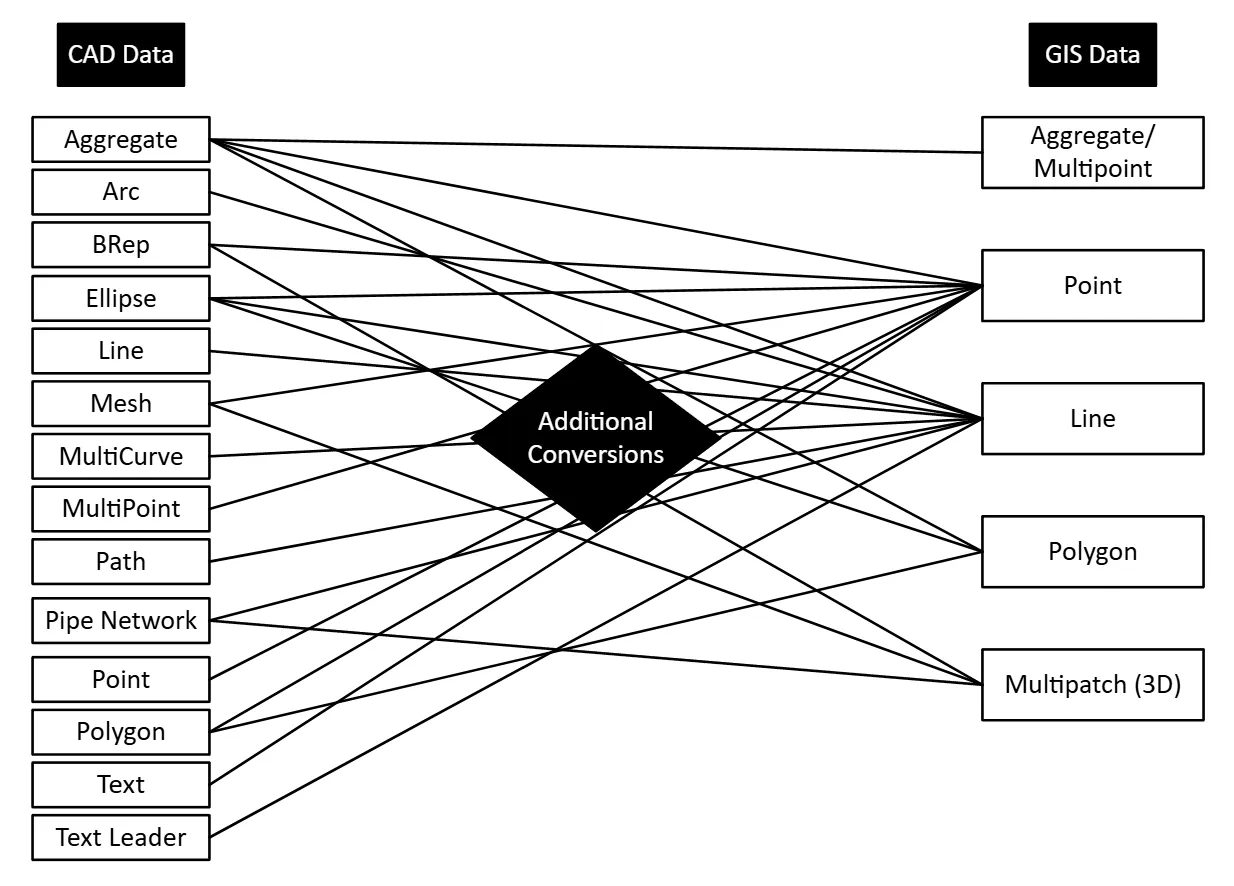
An FME workbench that extracts geometry from CAD files, retains metadata, performs calculations such as area, length and coordinate values, applies RGB and HEX colour codes, and converts hatches and blocks into polygon, line and point geometry.
Project-specific schemas are defined in an external spreadsheet, so non-technical team members can update requirements without touching the workbench.
How it works
01 Source
02 Extract
03 Transform
04 Deliver
Design team
Manual step
FME workbench
Schema sheet
Outputs
01 Source
Design team
Manual step
02 Extract
FME workbench
03 Transform
FME workbench
Schema sheet
04 Deliver
Outputs
Outputs from a single run:
- Delivery-ready GIS asset files matching the client schema
- Statistics and summary reports
- A 2D web map for review
- 3D asset models in InfraWorks that update automatically when underlying attributes change, for example when a manhole type or tree species is edited
Outcome
Asset delivery moved from weeks to hours. Recognised as Runner Up in the VINCI Group Innovation Awards, where the internal assessment of the submission described the approach as new to the business, and separately recognised with a Taylor Woodrow Value Award for the technical case study documenting it.
The commercial effect is that the asset register stops trailing the design by an issue cycle. A design change no longer carries a re-issue cost measured in weeks of someone's time, and a change to the client's schema is a spreadsheet edit rather than a variation raised against the automation.
Where it goes next
Currently semi-automated: CAD files are downloaded manually before processing. The planned next step is full API integration with the CDE for scheduled, triggerless updates.
Technical reference
What one run produces
Selected CAD files are downloaded from the CDE, and running the workbench starts a fully automated sequence: asset data is processed, exported in the required GIS format, and published to a browser-based web map for review. Four outputs come out of it.
| Output | Purpose |
|---|---|
| GIS asset files | Delivery-ready, matching the client schema, exportable as Shapefile, GeoJSON or Excel as the requirement dictates. |
| Statistics and summary reports | Asset counts and summaries, so compliance teams do not need to run manual data checks. |
| 2D web map | Browser-based review and team collaboration, with all CAD metadata preserved and exposed for query. |
| 3D asset models | Built in InfraWorks, linked to the published web map data so a refresh keeps both consistent. |
Exports are date-stamped and logged, which is what makes the delivery auditable rather than just repeatable.
The two workbenches
The automation is two FME workbenches run in sequence rather than one, and the split is deliberate: the first is generic and the second is project-specific, so a new project replaces the second and keeps the first.
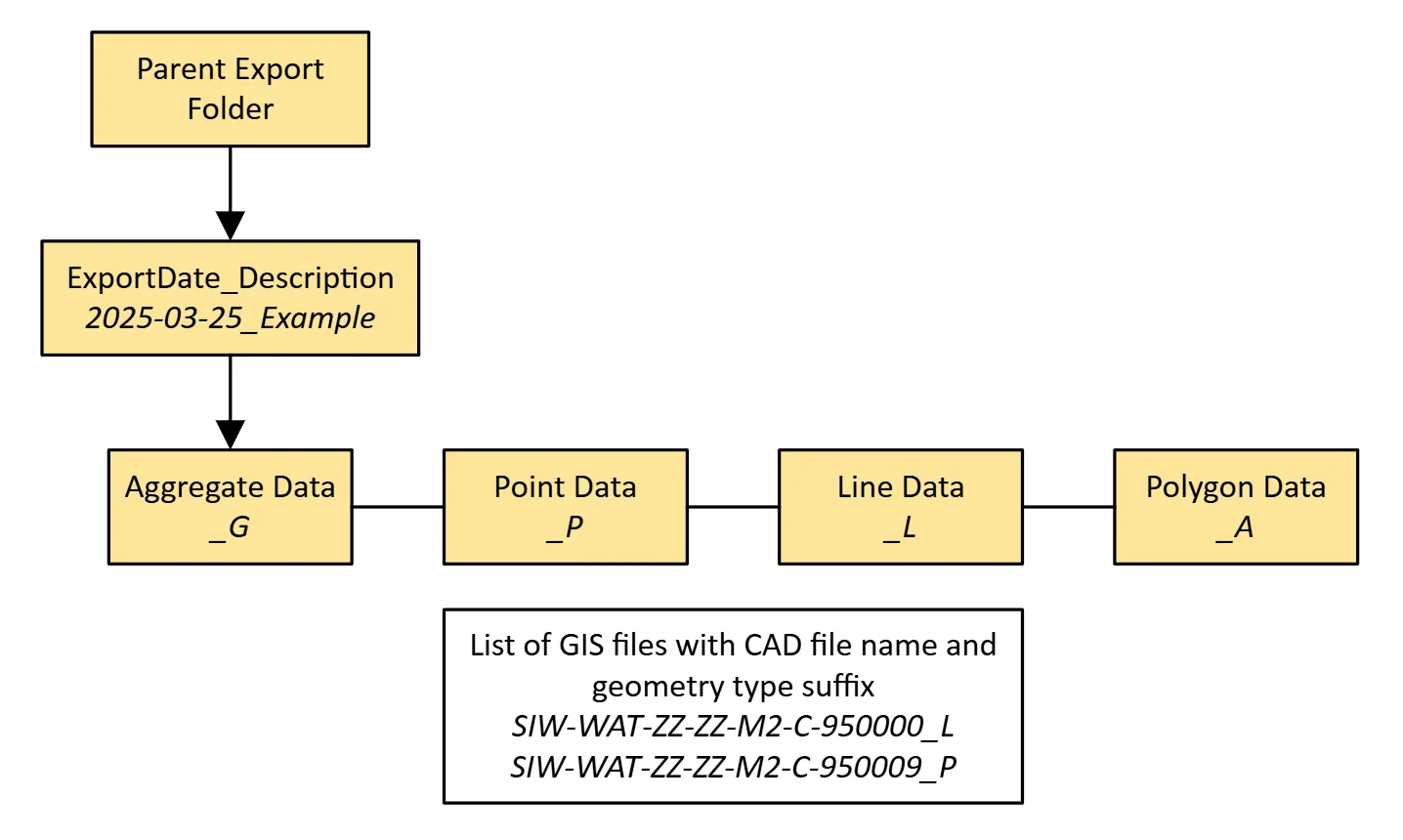
Step one, bulk conversion. Reads every selected CAD file, preserves layer grouping, converts annotation and text to points with the text kept as an attribute so it can be used as a map label, and writes GIS files named from the source file and its CAD layers into a date-stamped folder.
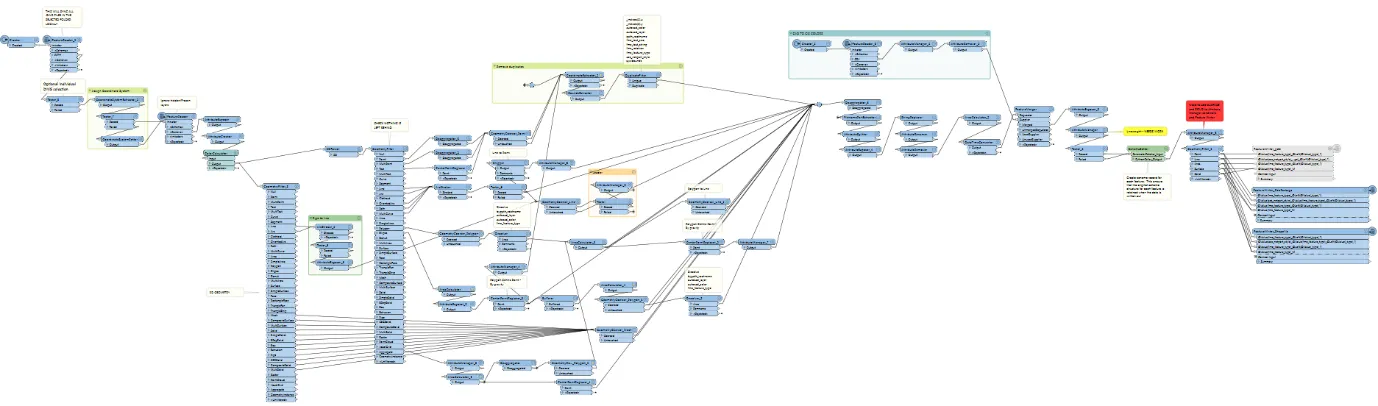
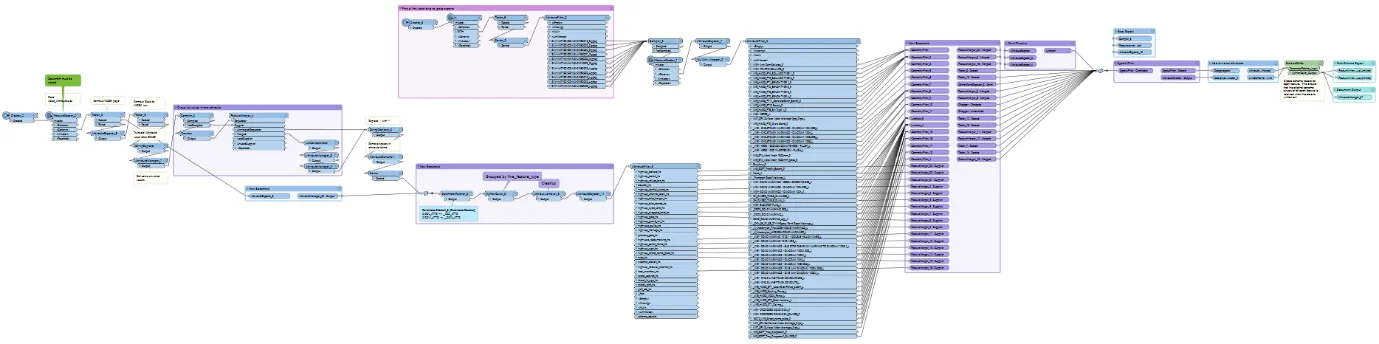
Step two, refinement and schema. Picks up the latest output of step one, filters to the layers the project actually needs, simplifies and spatially manipulates geometry, merges attributes held elsewhere such as chainage along a road corridor, assigns a unique ID per asset, then applies the external schema and writes both the delivery files and the summary document.
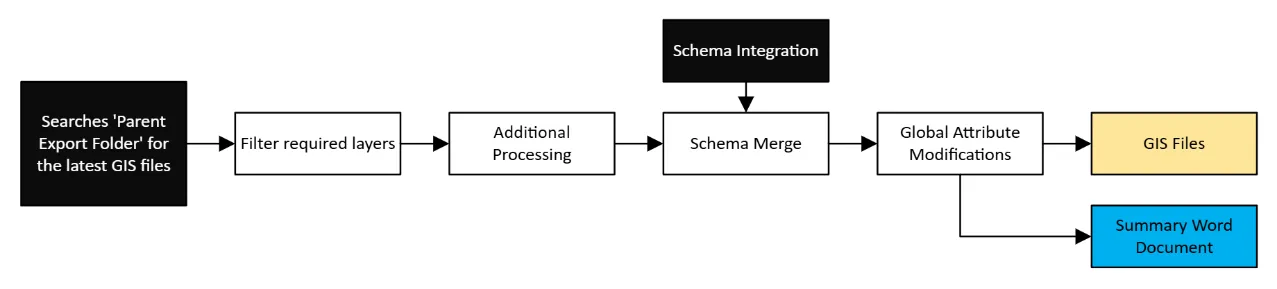
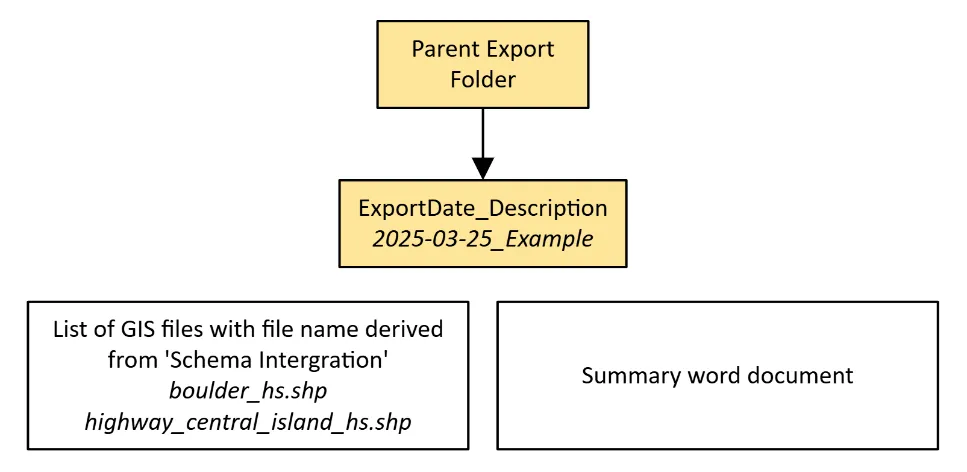
Final adjustments happen in QGIS or ArcGIS Pro: attribute edits, symbology, and the push to ArcGIS Online that puts the data behind the web map.
Attribute-driven 3D
The part worth isolating is that the InfraWorks models are driven by the attribute table rather than modelled. Change a manhole's type or a tree's species in the attributes, and the 3D model reflects it on the next run with no manual modelling. The design intent is that the 3D representation is a view of the asset data rather than a parallel deliverable that has to be kept in step with it by hand.
The constraint on this is the model library. It is currently limited to the range of assets held, so broadening it to cover more street furniture, landscaping and road signage is what stands between this and representing real-world conditions accurately.
Schema handling
Project schemas are defined in an external spreadsheet rather than inside the workbench. That is the single decision that makes the tool portable: a new project, or a changed client requirement, is a spreadsheet edit by whoever owns the requirement, not a change request against the automation.
Built-in schema validation then checks that delivered data meets the required standard before it goes out, which moves compliance from a review step after delivery to a gate inside it.
Known constraints
CAD layer standards. The workflow reads geometry by layer, so it depends on project teams adhering to established CAD layer standards. Across multiple organisations and disciplines that is difficult to guarantee, and it is the most common source of a run needing intervention.
CAD geometry quality. Overlapping lines, invalid shapes and unclosed geometry cause errors that need either manual correction or additional refinement steps in FME. The conversion is only as clean as the drawing.
Evolving requirements. Client requirements and data schemas change during a project. The spreadsheet schema absorbs most of that, but not all of it.
Licensing. Esri licensing restrictions currently prevent real-time cloud editing of asset attributes. The team works around it through QGIS and QField, which functions but is not the intended route. Editor licences would let any authorised team member update asset locations or classifications directly in ArcGIS Online from any location, and would remove the workaround entirely.
Where the data could go next
The workflow's real output is clean, simplified, schema-compliant 2D CAD geometry, and that has uses beyond asset delivery. The processed schemas and reports import directly into Power BI for interactive analytics.
The refined geometry is also a natural input to the Unreal Engine pipeline, which would take the same design data into an immersive environment: virtual walkthroughs of site asset models, AR overlays of digital infrastructure onto the physical site, driving and traffic simulation for new roads and intersections, daylight and lighting analysis, and remote collaborative design review inside a shared 3D workspace. Once the pipeline is established end to end, updates from 2D CAD through to that environment become semi-automated rather than a rebuild.
Tools and disciplines
- Built with
FMEInfraWorksArcGIS
- Discipline
GISData AutomationAsset Management