03 / 15ToolsGIS / 3D Visualisation / Automation2023
Design to Unreal Engine Pipeline
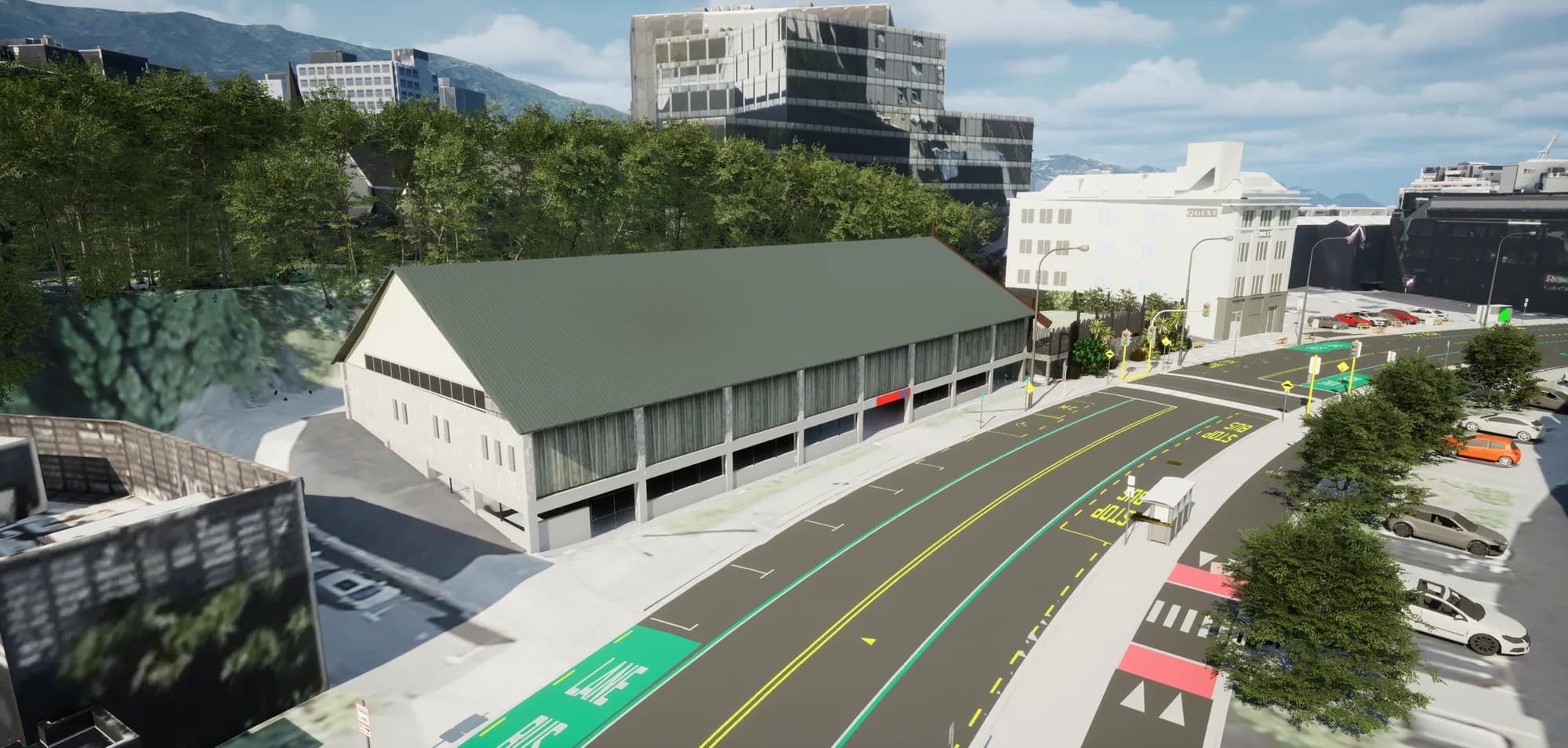
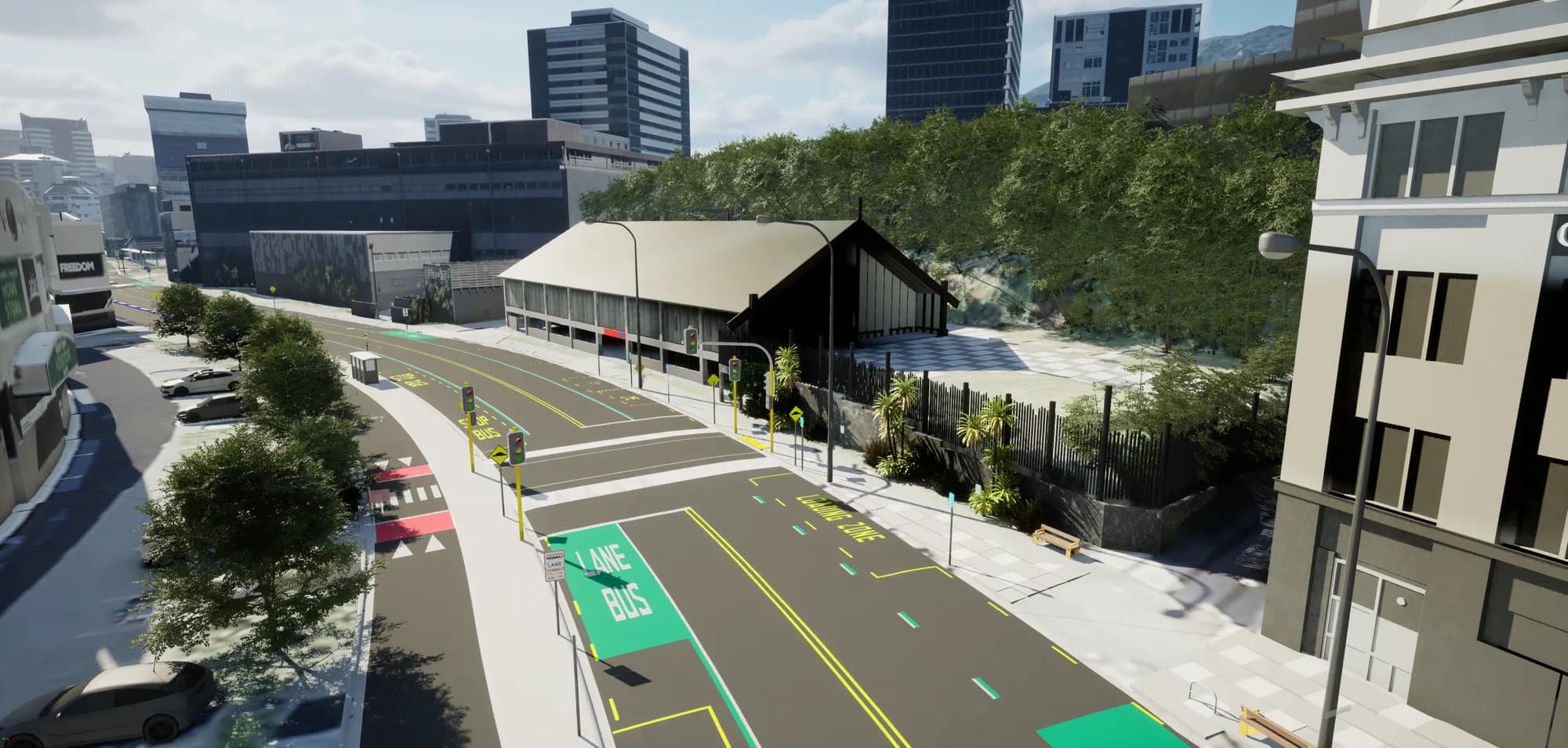
A complete Unreal Engine world generated from geospatial and design data in under an hour, as native landscape rather than mesh, so collisions, splines and drive-throughs all behave. Visualisation stops being a one-off commission and becomes something worth re-running every time the design moves.
FMEUnreal Engine
AutomationComplete
- Organisation
- Role
- Year
- Kind
- Sector
- Status
Background
High-quality visualisation is normally commissioned once, at the very start of a project, because it is expensive. Designs then change substantially, and there is no budget or resource left to update the renders. The visualisation stops describing the design almost immediately.
The problem
The obstacle to regenerating visualisation on demand is terrain. Generating mesh terrain is straightforward, but mesh does not behave like Unreal Engine's native landscape: collisions are poorer, and you lose the ability to import splines and generate roads against the landscape. Native landscape import has hard constraints on raster row and column counts, tile naming, and a fixed 1m cell size.
What I built
A pipeline that takes a project boundary or origin plus all available design and public data, prioritises the highest-detail source where they overlap, and outputs a complete Unreal Engine world in under an hour.
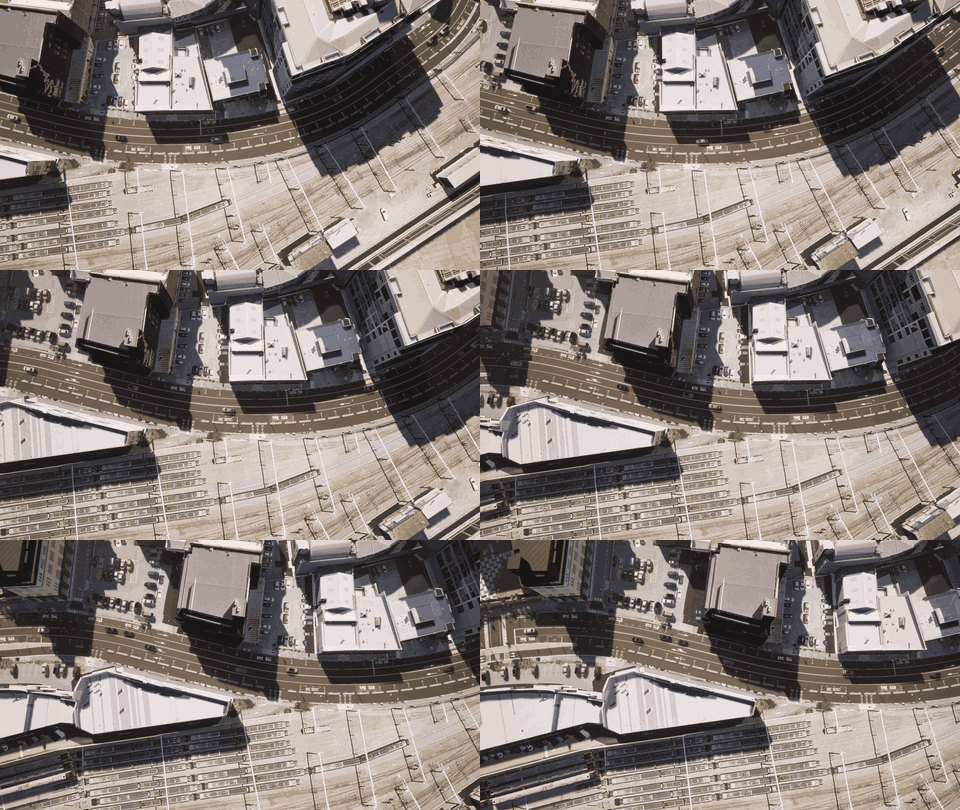
Inputs. Public: high and low definition DEM, high and low definition aerial, DTM, and OpenStreetMap road centrelines, tree points and street furniture. Project: TIN, DEM, drone aerial survey, boundary or origin, street furniture, ArcGIS Enterprise polygons, Navisworks models.
How it works
01 Inputs
02 Machine learning
03 Federate
04 Import
Public data
Project data
Classification
Vegetation
udatasmith
Landscape rasters
Unreal Engine
01 Inputs
Public data
Project data
02 Machine learning
Classification
Vegetation
03 Federate
udatasmith
Landscape rasters
04 Import
Unreal Engine
Machine learning passes. Aerial imagery is classified into land-cover polygons, used to procedurally generate vegetation natively in Unreal rather than importing it, which is both faster and better quality. A second pass detects vehicles, producing a point layer with colour extracted from raster RGB and rotation derived from polygon orientation, then cleaned against existing infrastructure, project boundary and road corridors.
Vegetation points. Generated from the DTM and DEM difference as canopy height, combined with the land-cover classification, with points removed around road and building polygons. Result is a vegetation point layer carrying both type and height.
Federation via udatasmith. ArcGIS Enterprise polygons are draped on the design surface and converted to mesh, combined with Navisworks design data and street furniture whose rotation comes from CAD or from the angle to OpenStreetMap alignments and whose elevation comes from the combined surface. Contextual landscape beyond the boundary converts to low-poly mesh. Everything shares one project offset.
Landscape rasters. Combined terrain is tiled into high and low detail sets at a user-defined resolution. Multiple project boundaries are supported: two boundaries within the low-detail buffer produce a single low-quality tiled landscape with two holes in it and two high-quality tiled rasters. Tiles must carry the correct row and column counts and exact naming to import as one landscape.
Beating the 1m limit. Unreal imports landscape at 1m cell size. The pipeline exposes a scale input: below 1 it scales the raster up, above 1 it scales down, and the inverse scaling is applied to the landscape once inside Unreal. Getting this right required accounting for the scale origin point.
Outcome
Native Unreal terrain means driving and site walkthrough simulations work properly, and splines import directly to generate roads against the landscape. Because the whole world regenerates from source data, WIP designs can be visualised and re-visualised at a cost that makes updating worthwhile.
Technical reference
Developed as research and development work at Aurecon alongside infrastructure and transport corridor delivery, then generalised into a pathway driven by parameters and a project boundary rather than by any one scheme. Everything except the machine learning classification runs inside FME.
What follows is the export structure, the full parameter set, the Unreal side of the process, and the limitations that decide whether any of it reaches an audience.
Export structure
All exports are written to a single folder beneath the nominated parent, organised by type. Naming follows a fixed convention so a re-run overwrites cleanly and Unreal reimports without remapping. That convention is what makes the update cycle work: a design change is a re-run and an overwrite, not a rebuild.
| Folder | Format | Contents |
|---|---|---|
| Landscape | PNG (Real32) | Heightmap tiles for the native Unreal landscape |
| Aerial | PNG / GeoTIFF | Imagery tiles imported as decals |
| Masks | PNG, per category | Land cover classification tiles, one subfolder per category |
| Points | CSV | Vegetation, street furniture and vehicle placement data |
| Lines | CSV | 3D road centrelines for landscape spline creation |
| Datasmith | udatasmith | CAD, federated BIM and GIS derived 3D geometry |
| Project Info | TXT | Origin, scale, tile size and the parameters used for the run |
The project information file is small and disproportionately useful. It holds the XYZ origin, the scale to apply to imported geometry, tile size and aerial placement, which removes guesswork at import and makes a run reproducible months later.
Landscape tiling
Unreal accepts landscape heightmaps only at specific tile dimensions, exposed here as a parameter of 7, 15, 31, 63, 127 or 255. The workflow generates the fewest tiles that cover the boundary at the chosen size, so a long narrow site running north to south produces a narrow column of tiles rather than a wasteful square grid.
Because Unreal reads the tile sequence as a bounding box in X and Y, the sequence cannot have gaps. Tiles falling entirely outside the boundary are still exported, set to a no-data value, to keep the sequence complete. Those empty tiles are deleted inside Unreal after import to recover the performance.
A separate companion script analyses the boundary and recommends a tile size before the main run, so the trade-off between tile count and tile resolution is a deliberate decision rather than trial and error.
Aerial imagery is exported separately from terrain and imported as decals rather than baked onto the landscape. That separation is deliberate: imagery can be replaced on its own, whether a new drone flight, a corrected orthomosaic, or an image edited to show a proposed treatment, without regenerating the landscape. The reverse holds too, so terrain updates without re-exporting imagery.
Stepped detail
Detail steps outward from the boundary in three bands, each with its own controls. This is the main performance mechanism in the workflow.
| Band | What it is | Data |
|---|---|---|
| Project area | The only true native Unreal landscape, and where the design is examined | Best available, typically design surfaces and drone imagery, with high resolution aerial as a decal |
| HD context | A mesh extending to the HD buffer distance, detailed enough to read as continuous with the project area | National terrain at the HD surface tolerance spacing, with lighter aerial imagery |
| LD context | A coarser mesh carrying hills, distant terrain and horizon | Low definition terrain at a coarser spacing again |
Two parameters control each context band independently: the buffer distance sets how far it reaches, the surface tolerance sets how finely it is meshed. The separation matters, because a wide band at fine spacing is the fastest way to make a scene unusable, while a wide band at coarse spacing costs very little and buys a great deal of realism.
Where several terrain sources overlap, the highest detail data available at each location is taken and the rest mosaicked around it. Rasters must be matched on cell size and data type before they combine cleanly, which is handled automatically rather than prepared by hand.
Parameters
A run is defined by a handful of numbers and the locations of the input data. A target coordinate system, which everything is reprojected to before any processing, so mixed source projections stop being an obstacle. An easting and northing offset applied to all exported data. The Unreal tile dimension, which drives the grid for landscape, aerial and masks alike. A buffer distance and a surface tolerance for each of the two context bands, which between them decide how far the world extends and how heavily it is meshed. A project buffer that widens the landscape geometry beyond the input boundary, and a mesh overlap that closes the gap that otherwise appears where the context terrain meets the generated landscape. A ground resolution for exported imagery, which is the main lever on file size and import time. And the list of classification categories to export as mask tiles.
Every input except the project boundary and a terrain surface is optional. The workflow degrades gracefully: missing inputs drop the features they would have produced, and the environment still builds.
Coordinate handling
Unreal does not handle large world coordinates well, so real world eastings and northings cannot be used directly. Every dataset is reprojected to the nominated system, then shifted by the user-supplied offset so the scene sits close to origin. The offset is applied inside FME to terrain, imagery, masks, points, lines and Datasmith geometry alike, so everything arrives already aligned, and it is recorded in the project information file so the transform can be reversed or reapplied later.
GIS geometry is routed through FME rather than imported straight into Unreal from shapefiles, and that is why: the reprojection and origin offset have to be applied consistently to everything or nothing lines up.
Classification and detection
Classification of aerial imagery into land cover runs outside FME. The original implementation used ArcGIS Pro, and free alternatives in QGIS have since been tested and work, including the Deepness plugin for segmentation and detection models and the Semi-Automatic Classification Plugin for supervised classification. Object detection has improved considerably since this was first built, and classification is now the easiest part of the whole workflow to substitute.
A typical category set is water, tree canopy, shrubs, low vegetation, barren, impervious surfaces and impervious roads. Masks are tiled to the same grid and naming as the landscape so they register exactly, and in Unreal they drive the landscape material layers and procedural vegetation scatter. Ground cover is therefore generated by the engine rather than imported as meshes, which is both faster to produce and better looking.
The point export pattern is generic. Anything reducible to a position, a rotation and a set of attributes goes through the same route, so the workflow extends to new asset types or new detection models without structural change.
The Unreal side
The import path uses the Landscaping plugin, which builds native Unreal landscapes from GIS rasters, vector data and CSV points. Landscape tiles, aerial decals, masks and point data all come in through it using the origin and scale from the project information file.
A small amount of setup is required per project template and is reusable across schemes: blueprints to generate procedural vegetation from the point data, blueprints to place and tint vehicles, landscape material reading the classification masks as layers, landscape splines built from the imported road centrelines, collision and boundary restrictions at the landscape edge, and a material mapping set. Once that template exists, subsequent schemes are import and configure rather than build.
Automatic material mapping is the part that makes updates cheap. Design geometry arrives carrying the materials and colours it was authored with, whether from CAD, ArcGIS Enterprise or InfraWorks, and those source assignments are mapped to Unreal materials through blueprints. A flat grey carriageway from the design model resolves to a full asphalt material with correct scale and wear. Road markings, footways, kerbs, landscaping and building facades follow the same route.
Two things follow. The environment looks finished rather than looking like an imported CAD model, with no manual material work. More importantly, the mapping lives in the template rather than in the run, so when the design updates and geometry is reimported, materials reapply themselves. Nothing has to be redressed, and that is what keeps the update cycle short enough to actually be repeated.
Why native landscape rather than mesh
The single most consequential decision in the workflow, and it opens capability a mesh-based scene cannot offer:
- Terrain can be sculpted, cut and filled directly in Unreal, so design options are explored live in a stakeholder session rather than round-tripped through CAD.
- Landscape collision is handled natively and efficiently, where mesh terrain needs collision geometry that is costly to generate and heavy at runtime.
- Native landscape splines, driven by the exported road centrelines, build roads and level platforms into the terrain itself.
- Vegetation and surface materials are generated by the engine from the masks rather than imported.
- Time of day, season and weather change live, supporting lighting assessment and night works discussion.
- Accurate terrain with native collision is a working surface for vehicle simulation, useful for swept path, sightline and haul route discussion.
- The environment can be walked in VR at true scale, and buried services can be revealed by looking through the ground, which is difficult to convey in any drawing-based format.
Limitations
Performance is hardware bound. Viability depends on the machine running it. Unreal can be tuned through view distance, level of detail, mesh resolution, foliage density and culling, and the stepped bands are the main structural mitigation, but a low specification laptop will struggle with a scene that runs comfortably elsewhere.
Sharing the project is the real constraint. Distributing an Unreal project to clients assumes they have capable hardware and will install and run it. The better answer is a cloud workstation clients log into, which removes the hardware dependency and means performance is tested once and known to work. That is a delivery decision rather than a workflow limitation, but it decides whether the output reaches its audience at all.
Source data quality and currency. The environment is only as accurate and as current as the data behind it. Public terrain and imagery may be several years old, and the workflow does not detect that.
Classification accuracy varies with the model and the imagery. Shadow, season, resolution and unusual surfaces all affect results, and misclassification shows up directly as misplaced vegetation.
Manual steps remain in Unreal. No-data tile deletion, landscape material setup, blueprint placement and edge collision restrictions are done in engine. They are one-off per project template rather than per update, but they are not automated.
Plugin dependency. The import path relies on the Landscaping plugin. A change to it, or to Unreal's landscape import requirements, would mean revisiting the export naming and format.
It is visualisation, not analysis. This is an engagement and review environment. It is not a measurement or quantity tool and figures should not be taken from it.
Tools and disciplines
- Built with
FMEUnreal Engine
- Discipline
GIS3D VisualisationAutomationMachine Learning